
TimeSeeker
See the world's time, relative to yours.
Features
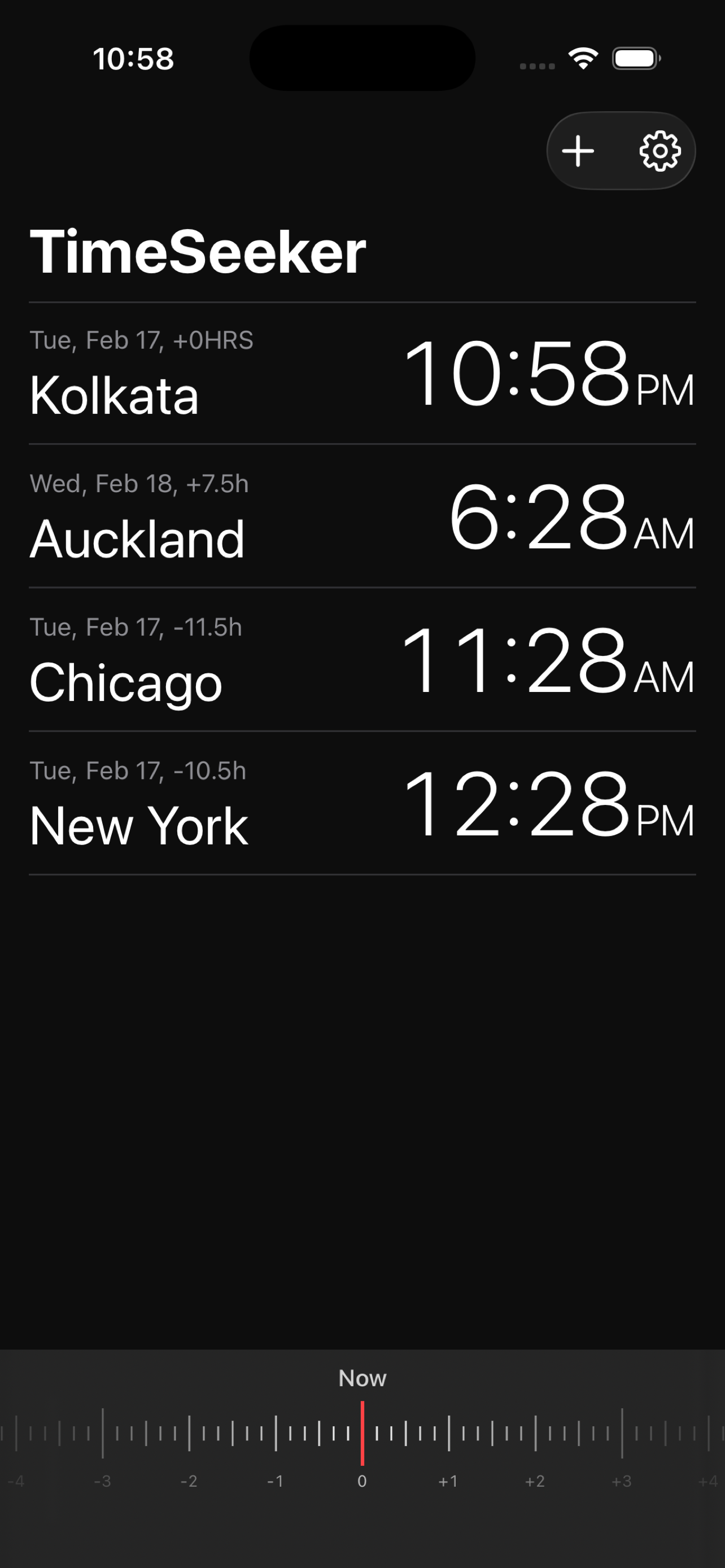
Relative Time View
Select a base city and instantly see how time compares across all your other locations with clear offset labels.
Time Scrubber
Drag the ruler-style slider to plan meetings up to 36 hours ahead or behind and see equivalent times everywhere.
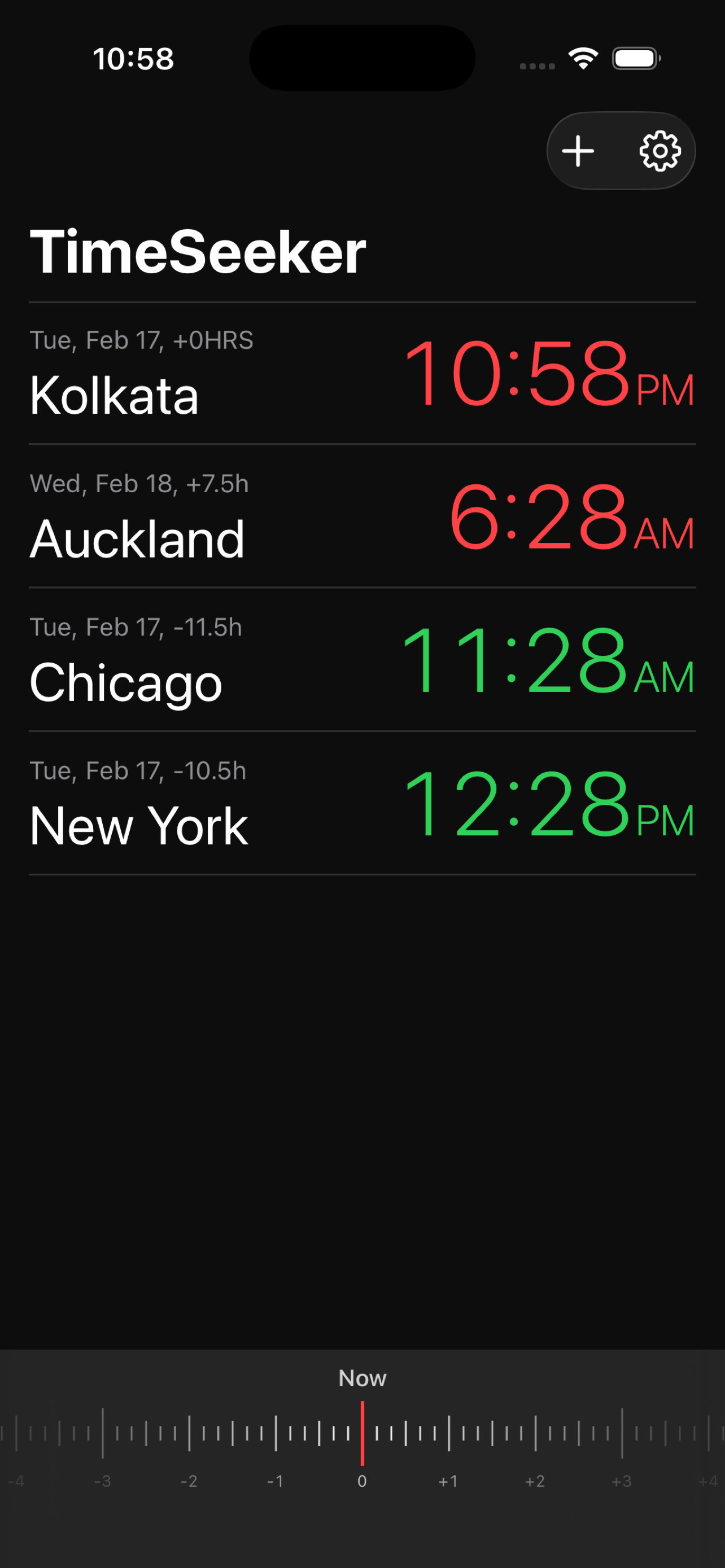
Communication Hours
Color-coded time indicators show whether it's a good, marginal, or poor time to reach someone in another city.
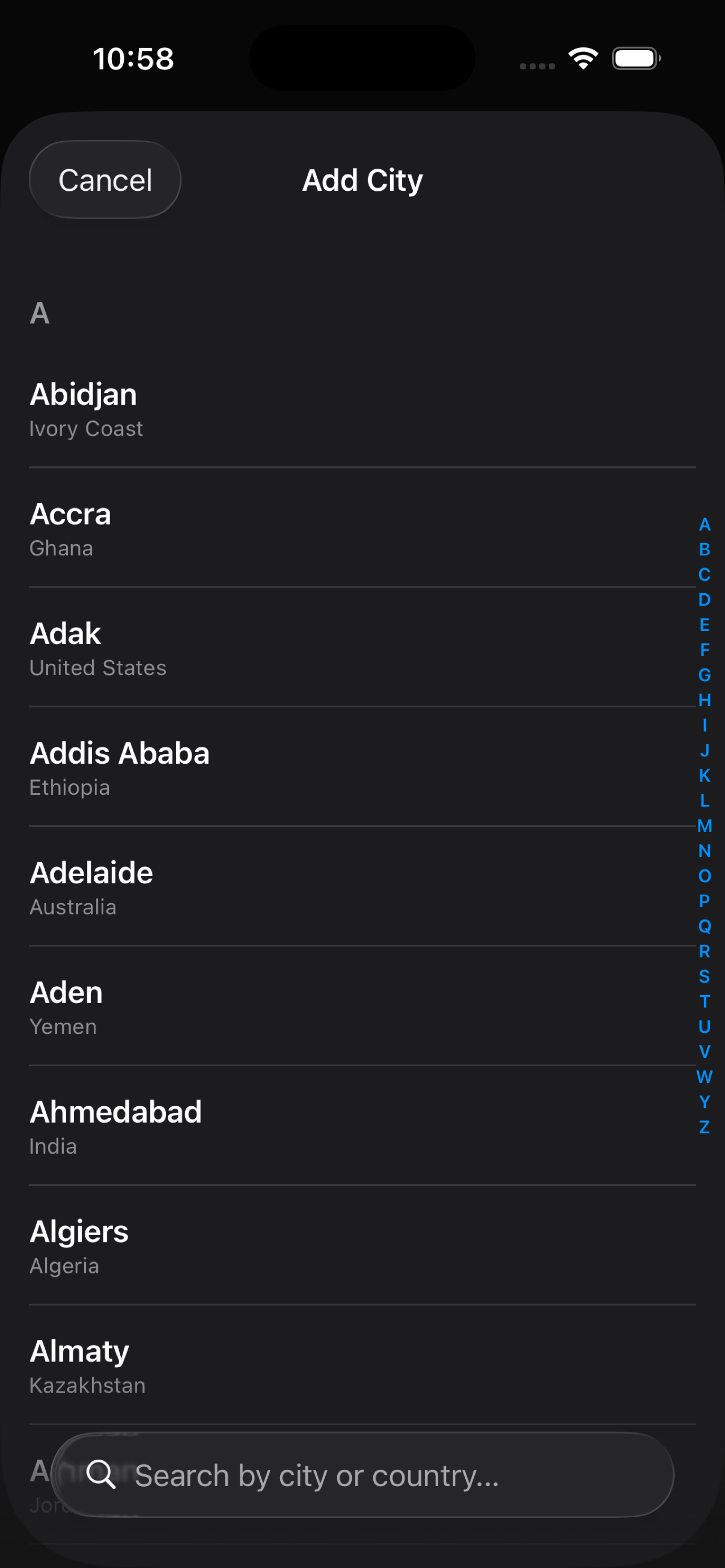
486 Cities Worldwide
Search by city name, country, or common aliases like USA, UK, and UAE. Covers every major city globally.
Reorderable List
Drag to rearrange your cities in any order. Your base city stays pinned at the top for easy reference.
Dark Theme
Sleek dark interface inspired by Apple's World Clock. Easy on the eyes day and night.
Getting Started
1. Add Cities
Tap the + button to search and add cities you want to track. Search by city name or country.
2. Set Your Base City
Long-press any city and tap "Set as Base City". All other times will be shown relative to this city.
3. Check Time Differences
See at a glance how far ahead or behind each city is, with date labels and offset indicators.
4. Plan a Meeting
Drag the time scrubber to pick a future time and instantly see what time it will be in every city.
5. Customize Settings
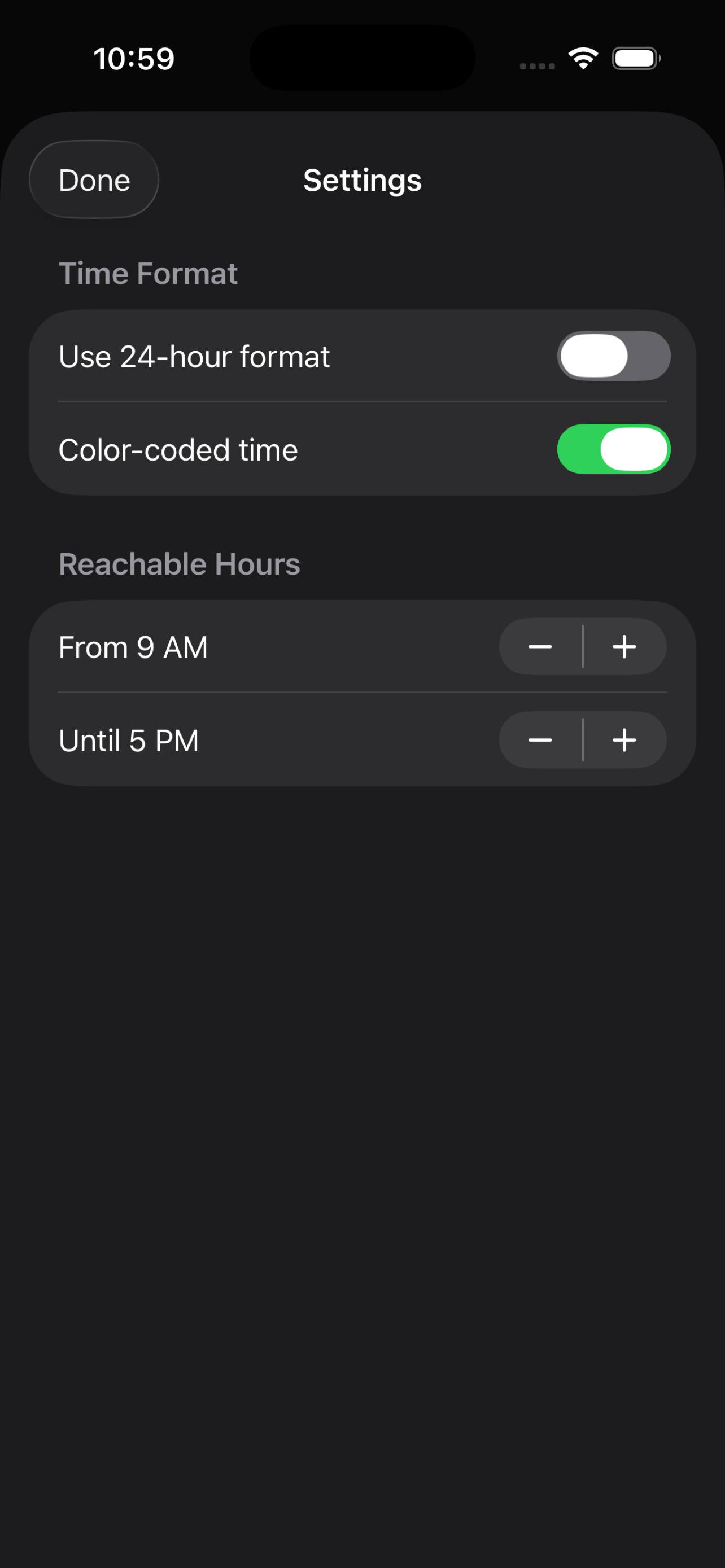
Tap the gear icon to switch between 12/24-hour format, toggle color-coded times, and set your reachable hours.
Frequently Asked Questions
Does TimeSeeker require an internet connection?
No. TimeSeeker works entirely offline. All timezone calculations are performed on your device.
How do I remove a city?
Swipe left on any city to delete it, or long-press and tap "Remove".
How do I change the base city?
Long-press on any city in your list and select "Set as Base City". All offsets will recalculate instantly.
What do the colors on the time mean?
When color-coded time is enabled in Settings, green means it's within reachable hours, yellow means it's borderline, and red means it's outside reachable hours. You can configure reachable hours in Settings.
How do I reset the time scrubber?
Double-tap the slider to snap it back to "Now".
Can I search for cities by country?
Yes. Type a country name or common abbreviation (USA, UK, UAE, etc.) in the search bar to find all cities in that country.
Is my data shared with anyone?
No. TimeSeeker has no analytics, no ads, no accounts, and no servers. Your city selections and preferences stay on your device. See our Privacy Policy for details.
Contact
If you need help or have feedback, reach out at praveen.sxi@gmail.com.